MySudo - Identity Protection
- 4.2
- Rating
- 500.00K
- Installs
- Free
- Price

 Analysis by App-foxy
I found MySudo - Identity Protection most useful when I stopped thinking of it as a normal calling or email app and treated it as a separation tool for everyday online life. It gives me a way to keep different conversations, sign-ups, and parts of my identity apart instead of handing my main phone number and personal inbox to every service that asks for them. That distinction matters more than the app’s simple interface.
MySudo is a free productivity app from Anonyome Labs, Inc, available for users aged Everyone. It has passed half a million installs and holds an average rating of 4.2 from roughly 3,300 ratings, which suggests that the idea is easy to understand and useful to a substantial group of people. The app supports up to nine separate phone numbers and email addresses, so the practical question is not whether it can create an extra contact point, but whether you will benefit from organizing several parts of your digital life this way.
What I would consider before choosing MySudo
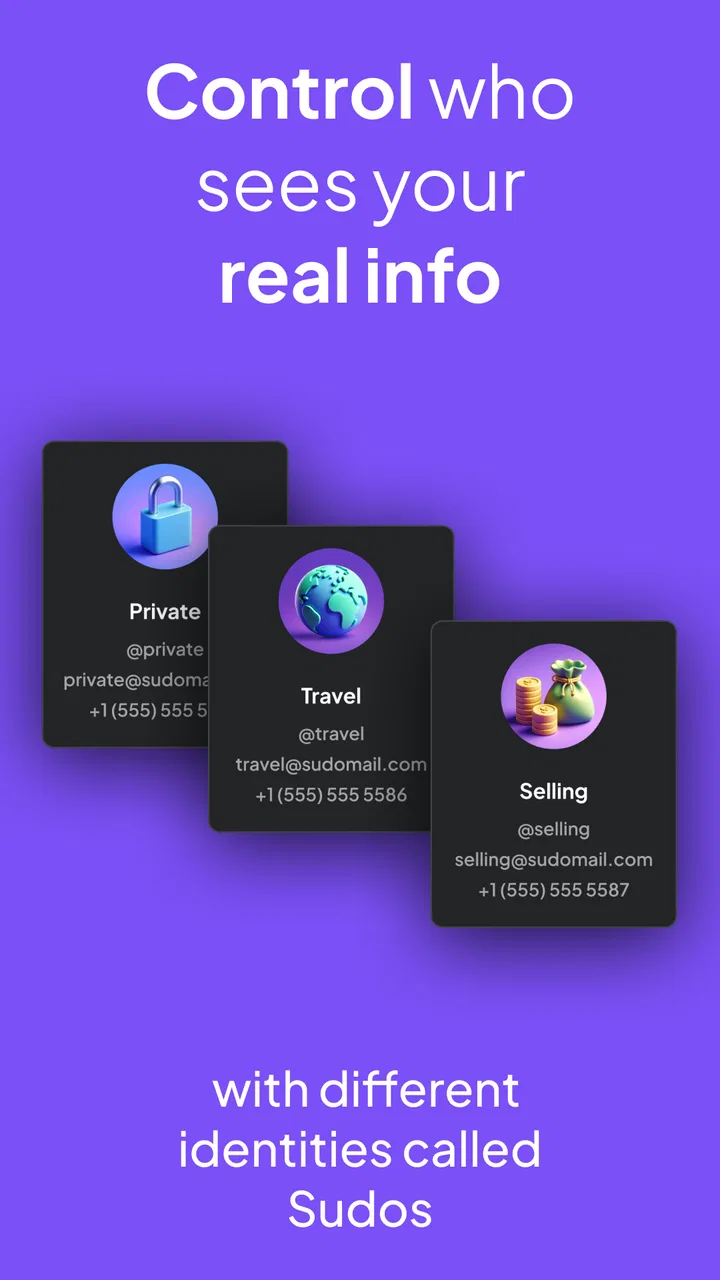
My first decision criterion is separation. If I need one temporary contact point for a single classified ad, a conventional secondary-number service may be enough. MySudo becomes more interesting when I want several identities with different purposes: one for shopping, one for personal contacts, one for appointments, and another for online communities. Keeping those channels apart makes it easier to recognize where unwanted messages are coming from and to stop using one identity without disturbing the others.
You May Also Like

 Blood Strike: 2.5 Anniversary
Blood Strike’s Loadouts Turn Every Drop Into a Tactical Gamble
A close look at Blood Strike’s custom loadouts: how fast access to signature weapons reshapes its battle royale rhythm, rewards preparation, and narrows the gap between fights.

 Pandora - Music & Podcasts
Pandora’s Music Is Easy to Start, but Harder to Recover
Pandora’s strength is its low-effort path from a seed to a station. Its weak spot is how much confidence it asks you to place in connection, setup, and quiet recovery.

 8 Ball Pool
 Is Built on Rivalries, Rematches, and Routine
A close look at the rivalries, rematches, shared routines, and unanswered safety questions that turn a quick pool match into a persistent mobile community.

 Samsung Music
’s Quiet Strength Is Playing What You Already Own
Its reach comes less from spectacle than from dependable access to a personal library. That simplicity is both the app’s strongest retention engine and its ceiling.

 AccuWeather: Weather Radar
AccuWeather Review: A Quick, Clear Forecast for Everyday Decisions
For everyday plans, the best forecast is the one you can understand quickly. AccuWeather makes rain timing, radar, and local conditions easy to act on, with a few trade-offs.

 Hill Climb Racing
Why Hill Climb Racing Still Turns Crashes Into One More Run
A tiny car, a bumpy hill and one more upgrade: Hill Climb Racing keeps resurfacing because its simple chaos makes every near-miss feel personal.
More From Our News Desk



The second criterion is convenience. An extra number is only helpful if I can actually manage it without constantly checking which identity I am using. The app’s value depends on whether its multiple-number and email setup feels clearer than carrying several unrelated services. In my experience, the concept makes sense for people who regularly use their phone number as a login, contact method, delivery detail, or verification route and would rather not expose their primary details.
The third criterion is permanence. I would not choose any privacy-oriented contact app casually for something that must remain reachable for years without checking the service’s current terms and account behavior. A separate identity is useful, but it also creates another place to monitor. That is a trade-off worth accepting for practical privacy, not something to ignore because the app is free to download.
There is also a difference between privacy and anonymity. MySudo helps me avoid sharing my main contact details everywhere, but I would not treat a separate number or email address as a magic cloak. If a service asks for identity verification, payment information, or other personal details, using a different contact address does not erase that connection. The app is best understood as a boundary between activities, not as a guarantee that every action becomes untraceable.
How the multiple identities fit real routines
A realistic example is selling a piece of furniture online. I can use a dedicated MySudo number for messages about the item rather than placing my everyday number in a public listing. If the conversation becomes noisy after the sale, I have not polluted my main contact channel. The same approach works for a short-term service inquiry, a local group, or a newsletter-heavy shopping account.
I also see a useful workflow for travel planning. A separate identity can be reserved for hotels, transport providers, and booking-related correspondence, while personal conversations remain in the usual channels. That does not eliminate promotional messages, but it makes them easier to isolate. When I return home, I know exactly which identity is associated with that activity instead of searching through one crowded inbox and call history.
A less obvious use is testing trust over time. When a new company asks for contact details, I can give it a dedicated address rather than my primary one. If the messages stay relevant, I can continue using that channel. If the contact becomes excessive, I know which identity needs attention. This is more useful than creating random throwaway accounts because the identity has a clear purpose and can be managed deliberately.
Families and shared households may also appreciate the separation, although I would still keep account ownership and access carefully organized. A number for home-related services can remain distinct from personal communication. That arrangement is not about hiding things from people in the household; it is about reducing the chance that a repair request, delivery update, or service promotion reaches the wrong personal channel.
Where MySudo feels stronger than the usual approach
The strongest part of the experience is the identity-based way of thinking. Many people solve privacy concerns by adding one disposable number or forwarding messages from one inbox. That can work briefly, but it often becomes messy when the same contact point gets used for shopping, social activity, appointments, and unknown callers. Having up to nine identities encourages a more intentional structure.
I particularly like the possibility of assigning a purpose before sharing a contact detail. Instead of asking myself later why a company has my number, I can decide in advance that a particular identity is for purchases or public-facing conversations. That small habit gives the app more value than simply having extra numbers available.
The app is also approachable for someone who does not want to build a complicated privacy system. I do not need separate apps for every scenario just to begin dividing my communications. The free entry point makes experimentation easier, while optional in-app purchases range from $0.99 to $149.99 per item. I would review the available purchase choices carefully before depending on a setup that may require paid capacity or features for my particular routine.
Its productivity classification is appropriate because the benefit is organizational as much as protective. I can create rules for myself: one identity for public use, one for transactions, one for personal contacts, and one for experiments. That simple map reduces mental clutter. It also makes it easier to decide what to change when a channel starts receiving too much attention.
Another practical strength is damage control. If a separate identity is involved in a suspicious message or an unwanted contact pattern, I can focus my response on that identity rather than changing the number that friends, relatives, and important services already use. I would still be cautious about deleting or abandoning any identity connected to account recovery, but the ability to isolate a problem is valuable.
Small habits that make the setup work better
I would name or document the purpose of each identity as soon as I create it. Relying on memory sounds fine with two channels, but it becomes unreliable as the number grows. A simple personal note such as “marketplace,” “subscriptions,” or “appointments” prevents me from accidentally giving the wrong address to a new contact.
I would also avoid using one identity for every service just because it is separate from my main one. The whole advantage comes from meaningful separation. If shopping, public listings, and private acquaintances all end up in the same secondary channel, I have recreated the original problem with a different number.
For important accounts, I would keep an additional recovery method where appropriate and record which identity is attached to each login. This is one of the most important trade-offs: privacy improves when contact details are compartmentalized, but account recovery becomes harder if I forget the arrangement. MySudo can help me organize that information, but it cannot replace careful account management.
Finally, I would review the identities occasionally. An unused address may still receive messages, and an identity created for a temporary project may no longer be necessary. A short review keeps the system understandable and reduces the chance that I overlook an important notification among channels I no longer use.
When another type of solution may suit you better
MySudo is not automatically the best answer for everyone. If I only need to hide my personal number once, a basic secondary-number app may be simpler. Those services often appeal to people who want one additional line and do not need a broader identity structure. Choosing MySudo in that situation could introduce more organization than the problem requires.
On the other hand, someone who mainly wants encrypted private conversations with a known group may be better served by a secure messaging app. That category focuses on the content and transport of conversations, whereas MySudo focuses on separating contact identities. These goals overlap in the broader privacy conversation, but they are not interchangeable. I would choose based on whether my main concern is who can reach me, what contact details I reveal, or how messages themselves are protected.
A password manager is another complementary rather than direct alternative. It is better for generating and storing login credentials, while MySudo is useful for controlling the email addresses and numbers connected to those accounts. If my main problem is reused passwords, this app is not the first tool I would install. If my main problem is exposing my personal contact information, a password manager alone will not solve it.
People who need a business phone system with team routing, shared administration, or formal customer support workflows should also compare business-focused services. MySudo’s appeal is personal compartmentalization. A company that needs staff permissions, call queues, or centralized records should not assume that a set of private identities is a substitute for a business communications platform.
There is a similar issue for users who expect a completely disposable service. MySudo’s identity approach is more useful when I want organized, repeatable channels, not merely a number for a few minutes. If I am unwilling to maintain another account or remember which identity belongs to which service, the app may feel like extra work. Privacy tools are only effective when their users can operate them consistently.
What the free download does and does not mean
The app itself is free, which lowers the barrier to trying the basic idea. However, the presence of in-app purchases means I would not assume that every possible setup is included without cost. The listed purchase range runs from $0.99 to $149.99 per item, a broad span that makes it especially important to understand what I actually need before paying.
I would begin with a small structure rather than creating all nine possible identities immediately. Starting with one public-facing identity and one private-purpose identity lets me test whether the separation improves my routine. If I find myself forgetting which channel to use, adding more will make the problem worse, not better.
The current version is 2.16.2, and the app requires Android 8.0 or later. That makes device compatibility a practical checkpoint before planning a full communication setup around it. I would also keep the app updated and make sure I understand how I will access important conversations if I change phones or reorganize my accounts.
One cost that is easy to overlook is attention. Every additional identity creates another decision: which one should I share, where will replies arrive, and which channel should I check? For me, that cost is justified when the identity has a clear role. It is not justified when I am creating aliases simply because I can.
The switching question: moving away from your main number
Moving to a compartmentalized setup does not require changing every account at once. I would start with new sign-ups and public interactions, then update existing services gradually. This avoids the risky mistake of changing recovery details for important accounts without recording the new arrangement.
For an existing account, I would first identify whether the contact detail is used for login, password recovery, alerts, or two-step verification. Those uses can have different consequences. A shopping newsletter is easy to redirect; a financial or essential service account deserves much more caution. MySudo can provide the new contact point, but the migration decision still belongs to me.
I would keep a private inventory of services connected to each identity. This is especially useful if I later decide to stop using one. Without that record, I might abandon a number or email address and discover months later that an old account still depends on it. The app makes separation possible, but the user has to supply the discipline that keeps separation safe.
For contacts who genuinely need to reach me, I would move them to the identity intended for personal communication and explain the change plainly. I would not use a public or shopping identity for close contacts simply because it is convenient at the moment. Clear boundaries make the system easier to maintain and reduce accidental exposure in both directions.
Who should use it, and who should skip it
I would recommend MySudo to people who frequently share their number or email with unfamiliar services, sellers, communities, or businesses and want a manageable way to reduce that exposure. It is also a strong fit for anyone who enjoys organizing digital life by purpose rather than keeping everything in one inbox and call log.
It may suit freelancers, frequent online shoppers, people posting public listings, and users who want a distinct channel for appointments or temporary projects. The benefit is not limited to avoiding spam. It is the ability to decide which part of your digital life is contacting you and to contain problems when one channel becomes inconvenient.
I would suggest skipping it if you want a single, permanent replacement for your normal phone service and do not care about multiple identities. I would also look elsewhere if your priority is secure group messaging, password storage, or business telephony. Those are different jobs, and using the wrong category can leave the original problem unsolved.
Users who dislike maintaining separate accounts should be realistic about the learning curve. The interface may be approachable, but the privacy benefit depends on remembering the purpose of each identity and using it consistently. Someone who creates several channels and then shares them randomly will gain less than someone with only two carefully managed ones.
My recommendation after weighing the trade-offs
MySudo is a thoughtful choice when the problem is overexposure of personal contact details rather than a general lack of privacy tools. I like that it turns a vague concern—“I do not want every service to have my real number”—into a practical system of separate identities. The option to create up to nine phone numbers and email addresses gives the app room to grow, but I would use that capacity selectively.
The main friction is responsibility. I have to remember which identity belongs to which activity, monitor the channels, and protect access to accounts that depend on them. The free price makes testing straightforward, yet paid options mean I would examine the plan structure before treating the app as the foundation for every communication need.
With a rating of 4.2 and about 739 written reviews, MySudo has enough user feedback to show that it is not an obscure experiment, while its Everyone age classification keeps the intended audience broad. Those figures are useful context, but my recommendation rests more on the fit between the app’s design and a person’s habits.
If I were recommending it to a friend, I would say: install it when you want organized distance between your real contact details and the wider internet. Begin with two clearly named identities, use them for specific situations, and keep a private record of important account connections. The best reason to choose MySudo is not having more numbers; it is having better control over where each number is used.
FAQs for MySudo - Identity Protection
01What is MySudo - Identity Protection used for?
MySudo is a privacy-focused identity protection app that lets you create separate digital identities for different areas of your life, such as shopping, work, dating, or personal contacts. Depending on the plan and region, each Sudo can include a phone number, email address, and other privacy tools. It is designed to help limit unwanted contact and reduce the need to share your real personal information.
02Does MySudo provide real phone numbers and email addresses?
Yes, MySudo can provide virtual phone numbers and email addresses, although availability depends on your subscription, country, and the features currently supported by the service. These details can be used for calls, texts, registrations, and online communication without exposing your primary contact information. Before downloading, check the app’s current regional restrictions and plan limits.
03Is MySudo free to use, or does it require a subscription?
MySudo offers limited access through a free option in some regions, but many useful features require a paid plan. Subscription levels may affect the number of Sudos you can create, available phone numbers, calling and messaging allowances, and privacy tools. Pricing and included features can change, so review the in-app purchase details before starting a trial or subscribing.
04Can MySudo completely protect my identity and make me anonymous online?
No privacy app can guarantee complete anonymity or total identity protection. MySudo helps minimize exposure by allowing you to use separate contact details instead of your primary phone number or email address, but it does not replace safe browsing habits, strong passwords, two-factor authentication, or careful sharing of personal information. Some services may also reject virtual numbers or require identity verification.
05What should I know before using MySudo for important accounts or verification codes?
MySudo may be useful for everyday registrations and communication, but it is not always ideal for critical accounts such as banking, government services, or long-term recovery contacts. Some websites block virtual numbers, and access to a Sudo can depend on your subscription and account status. Keep your recovery information secure and confirm that a service accepts MySudo before relying on it.
Pros
- Create separate phone numbers and emails for different online identities.
- Built-in tools help reduce exposure of your personal contact details.
- Supports private calling and messaging without sharing your main number.
- Useful for separating work
- shopping
- and personal communications.
- Clean interface makes managing multiple identities relatively straightforward.
Cons
- Many useful features require a paid subscription.
- Some services may not accept MySudo numbers for verification codes.
- Calling and messaging availability can vary by country and plan.
- Managing several identities may become confusing over time.
- Account recovery can be difficult if access to your primary details is lost.

MySudo - Identity Protection
Gallery